To turn lyrics into a song on iPhone, open Create → Your Lyrics in Tune Music, paste your words, choose a direction in Style of Music, and generate. Listen for crowded phrases, then change one line or one style choice before trying another version.
Prepare a draft you can hear out loud
Lyrics often look finished on a page before they feel natural in a song. Read your words aloud without music. Mark the places where you run out of breath, where a thought feels crowded, and where a phrase is easy to remember.
Keep one central idea in each section. A verse can describe a scene, while a chorus returns to the feeling you want the listener to remember. You do not need a fixed rhyme scheme, but clear phrases give you more room to explore a melody.
Give the lyric a simple shape
Separate verses and the chorus with line breaks. Section labels can make your draft easier to organize; treat them as guidance rather than an exact musical instruction.
ORIGINAL DRAFT TO ADAPT
[Verse]
The station lights are fading out
I hear the last train turning south
[Chorus]
There’s still a road that leads me home
Even when I travel on my own
This short draft gives the verse a place and the chorus a repeated emotional idea. It is an illustrative lyric written for this guide, not a quotation from an existing song.
Choose a musical direction
Describe how the words should feel: intimate, restless, hopeful, or celebratory. Then choose a style that supports that feeling. An acoustic arrangement may leave more attention on the words; an energetic pop direction may make the chorus feel more immediate.
A useful starting direction for the example above is “warm indie folk, restrained verses, and a hopeful chorus.” Keep your first direction focused so you can hear whether it supports the story.
A lyrics-and-style example to try
Use this original draft as a starting point, or replace the places and images with your own. The text below is an example input, not a recording or a claim about a generated result.
Lyrics: The Road Home
[Verse]
The station lights are fading out
I hear the last train turning south
Your letter's folded in my coat
I read the line you always wrote

[Chorus]
There's still a road that leads me home
Even when I travel on my own
I'll keep a light against the rain
And find my way to you again
Style of Music
Warm indie folk, acoustic guitar, gentle drums, intimate verses, hopeful chorus.
Keep these lyrics unchanged for your first comparison. For a second direction, try upbeat pop, bright guitar, steady drums, restrained verses, uplifting chorus. Notice whether the words stay clear and whether the new energy fits the story.
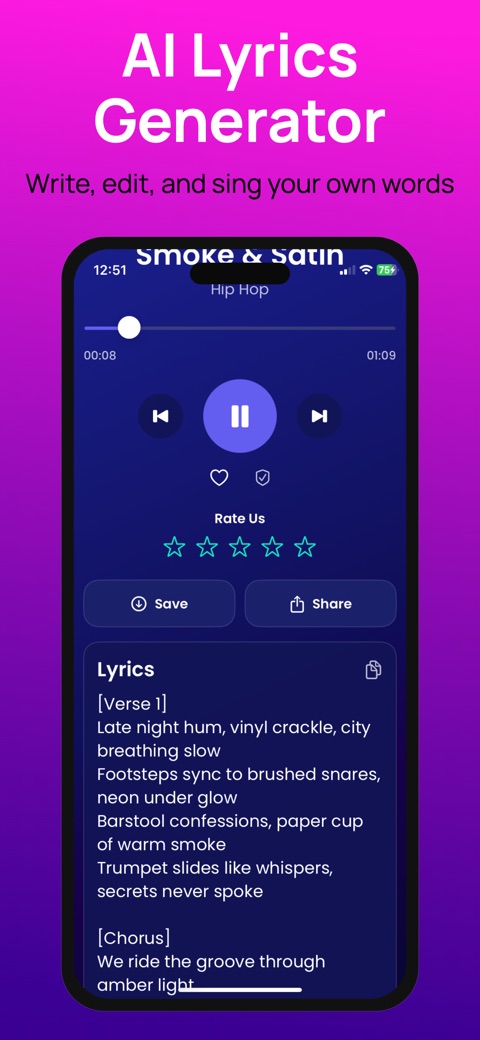
Use Your Lyrics in Tune Music
- Open Create and select Your Lyrics.
- Paste your draft with its line breaks.
- Add your direction in Style of Music. Choose or type the style you want to explore.
- Start generation, then listen to the result in your library.
See the lyrics-to-song feature page for the workflow. Generation uses an internet connection and access can depend on your subscription or credits.
How to shorten a crowded lyric line
Read each phrase at a steady pace. If you need to rush to finish it, remove words that repeat an idea already in the line.
BEFORE
I am standing here alone beside the station in the rain
AFTER
Alone beside the station rain
The shorter draft keeps the place and feeling while removing “I am standing here,” which the scene already suggests. This is an editing example, not an observed generation result. Whether it works in your song depends on the melody and delivery you hear.
Rewrite after listening
If the vocals rush a line, shorten it or divide the thought. If the chorus is hard to remember, make its main phrase simpler and repeat it consistently. If the emotional tone feels wrong, try a different style before rewriting every word.
Write down the change you made before generating another version. That gives you a useful comparison instead of a collection of drafts you cannot tell apart.
- First listen: write down the exact line or moment that feels wrong.
- Next version: shorten that line, or change the musical direction. Keep the other input steady.
- Compare: listen to the same verse and chorus in both versions. Keep the version with clearer words and the feeling you intended.
Can I turn lyrics into music without singing?
You can start with typed lyrics in the Your Lyrics workflow; you do not need to supply a sung performance. This explores a new AI interpretation of your words. If you want to start from a recorded voice instead, see creating music with a voice reference.
Can I try it for free?
Tune Music is free to download. Generation, full playback, and sharing options depend on the current in-app access and plan. Check the app before starting; downloading it does not mean every feature is unlimited or free.
Questions to ask about the result
- Can I understand the most important words?
- Does the chorus express the same idea as the verses?
- Are any phrases crowded or awkward to sing?
- Does the musical direction help the story?
AI output can vary, including pronunciation and phrasing. Review the full result before sharing. Use lyrics you wrote or have permission to use; a new arrangement does not remove the rights attached to source material.
Download on the App Store