YOUR VOICE / TUNE MUSIC
Make music
with your voice.
Record a vocal idea, a melody, or a rough sketch and use it as a personal starting point for new music.
Create with your voice ↗Use a recording as a voice reference
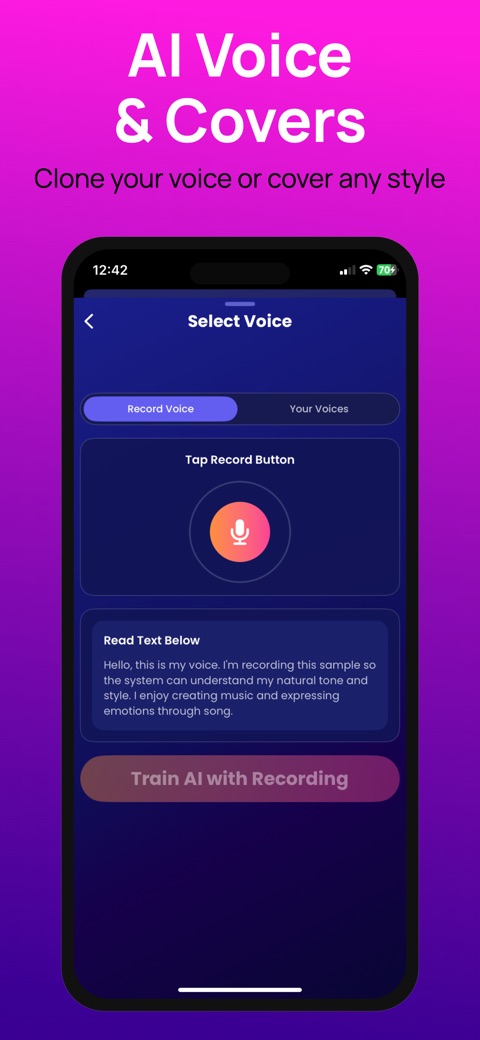
The Your Voice workflow combines a saved voice recording with a prompt or lyrics. It gives you another way to explore a song idea when the vocal character matters to you. The generated result may vary; using a reference is not a promise of an exact reproduction.
- Open Create and choose Your Voice.
- Select an existing voice profile or open the recording flow. Allow microphone access when the app asks.
- Record in a quiet room, then review your sample. The recording flow accepts a sample of at least three seconds and stops at thirty seconds.
- Save and select the voice profile. Add your prompt or lyrics, choose a musical style, and start generation.
Make the sample easier to hear
Use a steady distance from the microphone and a natural voice. Turn off background music, avoid touching the phone while recording, and make another take if the sample is clipped or noisy. A clear recording gives the generation service more useful material than a loud room or a heavily filtered sample.
Know what you are sharing
Use your own voice or a voice you have permission to use. Voice generation sends the recording needed for the request to the app’s AI processing service. Read the privacy policy before submitting a recording.
If the voice flow is unavailable
Your Voice is a premium feature. Check the access options shown in the app. If recording does not start, check microphone permission for Tune Music in iOS Settings. If a generation fails, confirm your internet connection and contact support with your device, app version, and the problem you saw.